> ## Documentation Index
> Fetch the complete documentation index at: https://shapesinc-4644c49f-cursor-docs-product-refresh-1067.mintlify.site/llms.txt
> Use this file to discover all available pages before exploring further.
# Memory Guide
> Learn how Shape memory works and how to manage it.
### **How Memory Works**
Shapes use two main kinds of memory:
* **Short Term Memory (STM):** The recent conversation currently happening in your chat.
* **Long Term Memory (LTM):** Saved memories that can be used later when relevant.
Here's the lifecycle: how a moment in chat becomes a lasting memory, and how the commands move it around.
```mermaid theme={null}
flowchart LR
A[You chat] --> B[Short-term memory: recent messages]
B -- "auto-saves over time, or /sleep" --> C[Long-term memory: durable summaries]
C -- "recalled when relevant" --> D[Future conversations]
B -. "/wack clears this" .-> B
C -. "/reset erases this" .-> C
```
### **Memory Commands**
* `/wack` clears short-term memory only.
* `/reset` erases long-term memory only.
* `/sleep` saves recent short-term memory into long-term memory.
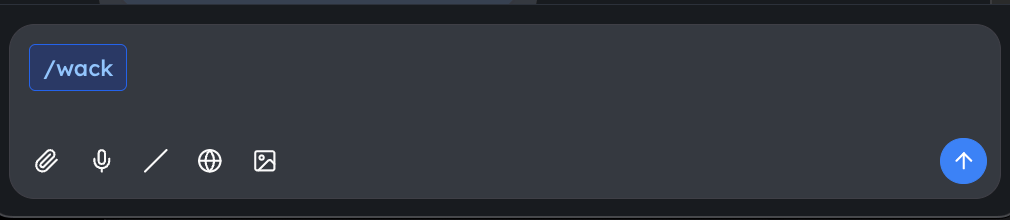 These commands are used directly in the [chat interface](https://talk.shapes.inc).
### **Types of Conversations**
* **Chats:** Chats you can delete, invite more shapes to, and invite more users to.
* **DM:** Persistent chat between you and your Shape.
These commands are used directly in the [chat interface](https://talk.shapes.inc).
### **Types of Conversations**
* **Chats:** Chats you can delete, invite more shapes to, and invite more users to.
* **DM:** Persistent chat between you and your Shape.
 **DMs** can be accessed by clicking your Shapes' avatar at the top of the sidebar on [talk.shapes.inc](http://talk.shapes.inc).\
**Chats** appear in the list below your Shapes' avatars and are identifiable by their titles.
LTM can be used in both DMs and Chats.\
STM is only used in the chat you are currently active in.
**DMs** can be accessed by clicking your Shapes' avatar at the top of the sidebar on [talk.shapes.inc](http://talk.shapes.inc).\
**Chats** appear in the list below your Shapes' avatars and are identifiable by their titles.
LTM can be used in both DMs and Chats.\
STM is only used in the chat you are currently active in.
 ### Memory Settings
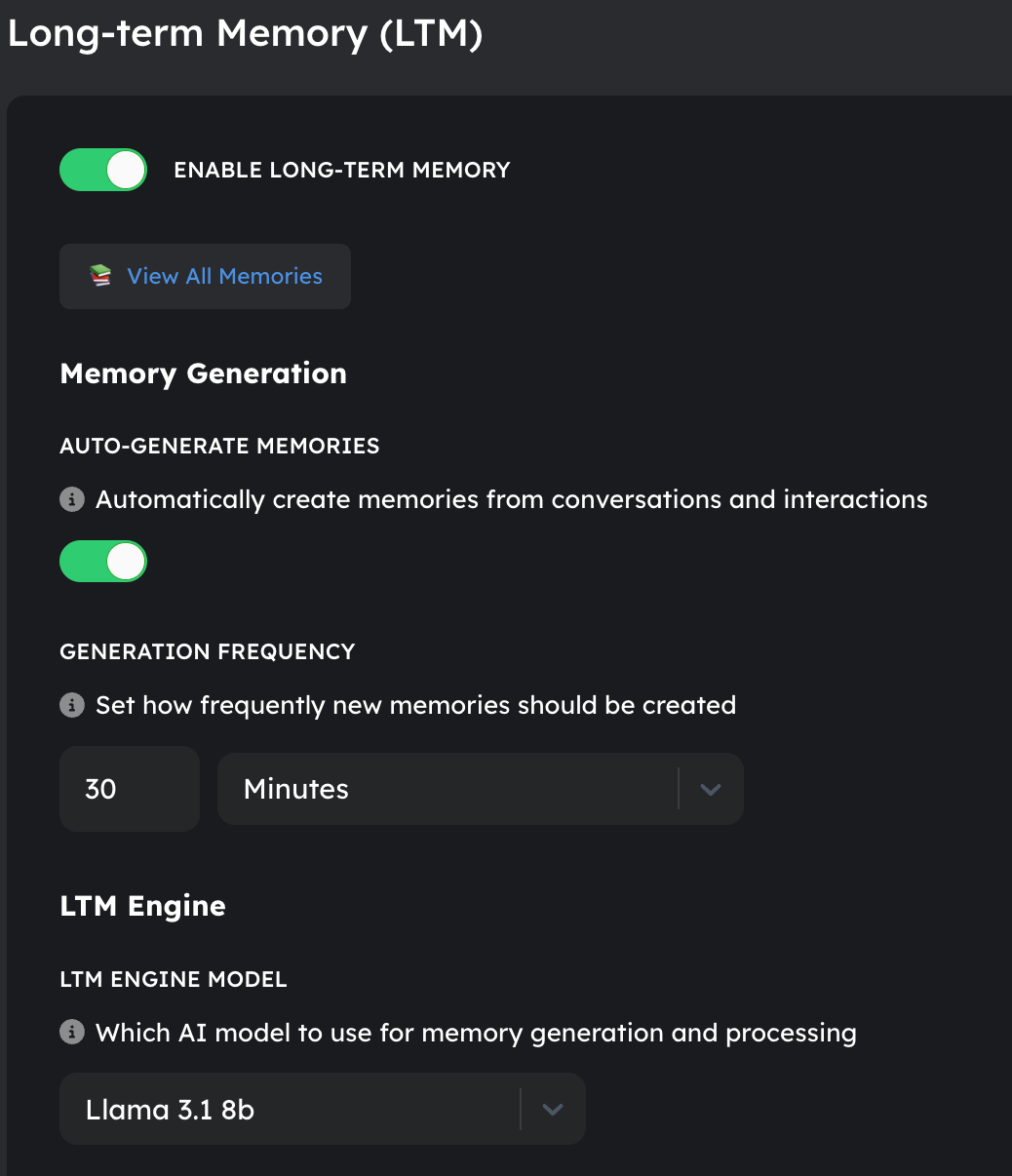
A Shape owner can manage how memories are created and used in the Shape's AI Engine settings page.
Here are the key settings:
* **Turn off long term memory** entirely. Helpful if you want to have many chats without needing to manage memories between them.
* **Disable auto-generation** of long term memories. Only manually added memories via /sleep will be stored.
* **Adjust memory generation frequency** to control how often long term memories are recorded.
* **Change the engine and instructions** used to generate memories.
* Looking for an update to your LTM Engine Instructions? Here's a sample of an updated preset you can try:
You are a conversation memory assistant. Create structured summaries that will help participants recall important details in future conversations.\
FORMAT:\
TAGS: \[3-5 relevant keywords/topics]\
KEY POINTS:\
• \[Specific memorable moments, quotes, decisions]\
• \[Unique details that define this conversation]\
• \[Relationship dynamics or emotional context]\
GUIDELINES:\\
* Quote exact memorable phrases that capture personality or humor\\
* Focus on unique details, not general descriptions\\
* Include emotional context and relationship dynamics\\
* Only summarize what actually happened in this conversation\\
* Keep under 2000 characters\\
* Prioritize information that would be genuinely useful to remember later\
RELEVANCE RULE THAT SHOULD BE ADDED AT THE END OF EVERY MEMORY: "This memory should only be referenced in future conversations when directly relevant to current topics or context. Don't force connections."
* **Set memory inclusion preferences** to control how many memories are included in chats and how relevant they need to be.
### Managing Memories
You can view and edit saved memories from the Shape's memory page. This is useful if a Shape saved something incorrectly or if you want to remove something it should stop using.
Using /reset in a chat clears long term memories for that chat context. DMs and other chats may keep their own memories.
Memory is shaped by what you say and how the Shape summarizes it. If a memory feels wrong, edit or delete it from the memory page.
[Return to App](https://shapes.inc)
### Memory Settings
A Shape owner can manage how memories are created and used in the Shape's AI Engine settings page.
Here are the key settings:
* **Turn off long term memory** entirely. Helpful if you want to have many chats without needing to manage memories between them.
* **Disable auto-generation** of long term memories. Only manually added memories via /sleep will be stored.
* **Adjust memory generation frequency** to control how often long term memories are recorded.
* **Change the engine and instructions** used to generate memories.
* Looking for an update to your LTM Engine Instructions? Here's a sample of an updated preset you can try:
You are a conversation memory assistant. Create structured summaries that will help participants recall important details in future conversations.\
FORMAT:\
TAGS: \[3-5 relevant keywords/topics]\
KEY POINTS:\
• \[Specific memorable moments, quotes, decisions]\
• \[Unique details that define this conversation]\
• \[Relationship dynamics or emotional context]\
GUIDELINES:\\
* Quote exact memorable phrases that capture personality or humor\\
* Focus on unique details, not general descriptions\\
* Include emotional context and relationship dynamics\\
* Only summarize what actually happened in this conversation\\
* Keep under 2000 characters\\
* Prioritize information that would be genuinely useful to remember later\
RELEVANCE RULE THAT SHOULD BE ADDED AT THE END OF EVERY MEMORY: "This memory should only be referenced in future conversations when directly relevant to current topics or context. Don't force connections."
* **Set memory inclusion preferences** to control how many memories are included in chats and how relevant they need to be.
### Managing Memories
You can view and edit saved memories from the Shape's memory page. This is useful if a Shape saved something incorrectly or if you want to remove something it should stop using.
Using /reset in a chat clears long term memories for that chat context. DMs and other chats may keep their own memories.
Memory is shaped by what you say and how the Shape summarizes it. If a memory feels wrong, edit or delete it from the memory page.
[Return to App](https://shapes.inc)